Security Tool is a computer virus pretending to be security application. It tells you that there is a virus in your computer and will trick you into installing the program.
That’s why many are now looking for
Security Tool Virus Removalinstructions online. So they can remove this and ensure that their computer is safe.
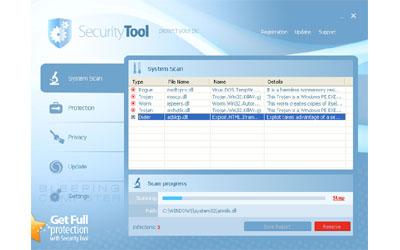
Security Tool Virus Removal
Securit Tool Virus Removal a clone of Total Security and System Security, which are also both fake antivirus programs and both have very similar characteristics to SecurityTool. The program does nothing good for your computer.
Here is a manual removal instructions for
Security Tool Virus:
- Stop
Security Tool Processes: [random numbers].exe - Remove
Security Tool Files- C:Documents and SettingsAll UsersApplication Data[random numbers]
- C:Documents and SettingsAll UsersApplication Data[random numbers][random numbers].exe
- Remove
Security Tool Registry Keys- HKEY_CURRENT_USERSoftwareSecurity Tool
- HKEY_LOCAL_MACHINESOFTWAREMicrosoftWindowsCurrentVersionUninstallSecurity Tool
- Remove
Security Tool Startup Entry: [random numbers].exe - Block
Security Tool Related Websites: If you are receiving pop ups from specific websites related to SecurityTool, you can block these websites through your HOSTS file.
If you are not really good in computers and don’t know how to do this. It is advised that you ask someone to do it for you or just download and use any of the popular antivirus softwares in the market today such as Kaspersky, AVG and Norton Antivirus.